20 Low-Cost Tools That May Make Everyday Tasks Easier With Low Vision
Affordable, practical tools and strategies that may make everyday reading, cooking, writing, medication management, and computer use easier with low vision.
Reviewed for clarity and usefulness. How we publish
Editorial Independence & Affiliate Disclosure: Low Vision Guide is supported by its readers. This article contains affiliate links. If you purchase through an eligible affiliate link, we may earn a commission at no additional cost to you. Product selection and editorial conclusions are independent of commission availability. As an Amazon Associate I earn from qualifying purchases.
Some recommendations link to Visible Living, our affiliated retail store. Others link to independent accessibility organizations or noncommercial resources. When a free or specialist resource is a good solution, we include it even when no commission is available.
Living with low vision does not necessarily mean replacing everything you own with specialized equipment.
Sometimes a small change—adding a tactile marker to a button, putting reading material at a better angle, using stronger contrast, or choosing a pen that produces a darker line—can make a meaningful difference.
The important question is not:
“What products should someone with low vision buy?”
It is:
“What task are you trying to make easier?”
The tools below were selected around that principle. Some are specifically designed for people with low vision or blindness. Others are ordinary products whose contrast, size, positioning, or tactile features may make them useful.
Not every tool will work for every person. Vision loss varies considerably, and sometimes a technique learned through vision rehabilitation may work better than buying another product.
1. Tactile appliance and control marking
Smooth touchscreens and unmarked dials on microwaves, washers, and thermostats can make it hard to find the right setting by feel.
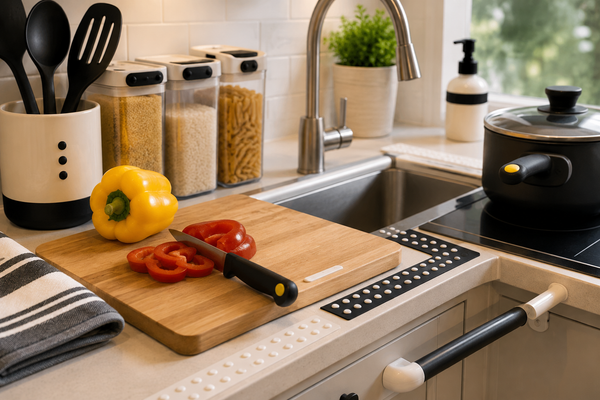
Small raised markers can help identify frequently used buttons and settings by touch—for example, a microwave’s Start button, a washer’s preferred cycle, a light switch, or a thermostat control. It generally works best to mark only the handful of controls you use most often, rather than covering every button on an appliance.
If you would rather not buy anything, some people manage this by learning the position, shape, or spacing of controls instead—a technique a vision rehabilitation professional can help you practice.
BLEWAY Bump Dots, 165-Piece Set (paid link)
2. Lighted spot and line reading
Receipts, menus, price tags, and recipe cards often combine small print with poor lighting, which makes them harder to read than a book at home.
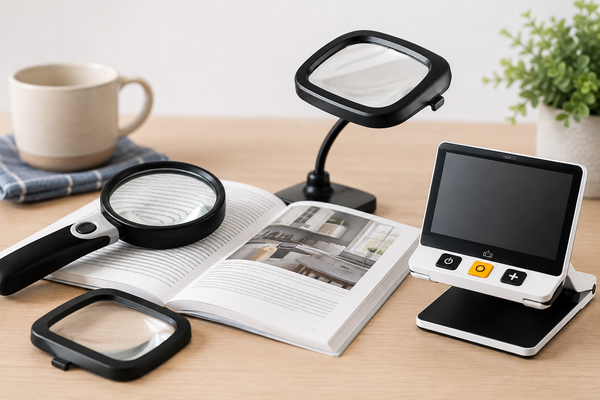
A magnifier that includes its own light source can help by combining magnification with direct illumination on the spot you’re reading. More magnification is not automatically better—a higher power narrows your field of view, so it helps to match the strength to the task. If you’re unsure what level of magnification suits your vision, a low-vision evaluation can help you find out.

Carson MagniLine MT-25 3x LED Bar Magnifier with 10x Spot Lens (Visible Living)
3. Line tracking while reading
Losing your place partway through a line of text is a common frustration when reading books, newspapers, or printed menus.
A bar magnifier with a built-in reading guide can give you a visual reference to follow across a line, which may make it easier to stay on track. If you’d rather try this for free first, an index card, a piece of dark cardstock, or another straight edge can serve the same purpose as a simple line guide.

Carson MagniRead MR-25 1.5x Bar Magnifier with Reading Guide (Visible Living)
4. Bold, high-contrast writing
Standard ballpoint pens often produce a thin, light line that can be difficult to see on shopping lists, forms, or calendars.
A pen designed to lay down a thicker, darker line may make your own handwriting easier to read back later. If you already own a dark, bold felt-tip marker or pen, that may accomplish the same thing without a purchase.
Colarr Thick-Tipped Low Vision Pens, Black (paid link)
5. Writing, lists, and reminders
Keeping track of notes, reminders, and to-do lists depends on being able to read your own handwriting later, which bold lines and stronger paper contrast can support in different ways.
5a. APH Boldline Spiral Notebook
Bold-line paper gives your handwriting a wide, high-contrast guide to write within, which can help keep notes structured and legible.
5b. DoMore Low Vision Notebook — Bold Lines, Yellow Paper
Yellow paper paired with bold, dark lines may improve visibility for some readers, particularly for lists, reminders, and day-to-day notes.
DoMore Low Vision Notebook, Bold Lines, Yellow Paper (paid link)
5c. Post-it Super Sticky Notes, Playful Primaries
Bright, removable sticky notes can serve as reminders on doors, mirrors, cabinets, or calendars. They aren’t specifically designed for low vision, but their color and size can make them easier to notice than a standard pale sticky note.
Post-it Super Sticky Notes, Playful Primaries (paid link)
6. Kitchen measuring
Clear plastic measuring cups with faint embossed lines can be nearly impossible to read accurately, which makes cooking and baking measurements a guessing game.
A measuring set with large, high-contrast markings printed directly on the cup or spoon can make the fill line much easier to see.
MaxiAids EZ Large Print Measuring Cup and Spoon 11-Piece Set (paid link)
7. Liquid-level awareness
Pouring hot coffee, tea, or water into a mug or pot without a clear view of the fill line can lead to overflows and burns.
A liquid-level indicator clips onto the rim of a cup or pot and sounds an audible cue once liquid reaches its probes, which can serve as an optional aid rather than a universally preferred method. Because this device is used with hot liquids, keep your fingers clear of the rim and probes, and never assume the alert will sound instantly—pour slowly and stay attentive. Many people are taught non-device pouring techniques, such as finger positioning or measured pouring, through vision rehabilitation, and those techniques may suit you better.
Cirbic Liquid Level Beeping Indicator (paid link)
8. Accessible kitchen timing
Small, low-contrast digital timer displays can be hard to read from across a kitchen, especially while your hands are busy with food prep.
A timer with a large mechanical dial and tactile, high-contrast numbers can let you set and check time by touch as much as by sight. If you already use a smart speaker or smartphone, voice assistants such as Siri, Google Assistant, or Alexa can set and announce timers without any additional purchase.
MaxiAids Tactile Low Vision Timer, White Dial / Black Numbers (paid link)
9. Key identification
A ring of similarly shaped keys can be difficult to sort through by sight, especially in low light near a door.
Color-coded, textured covers that slip over the head of a key can make individual keys easier to identify by touch or color, and many designs include space for an additional label. A no-cost alternative is to keep a single key—such as your house key—in a fixed position on the ring every time, so you can find it by position alone.
Nite Ize IdentiKey Covers, Assorted 6-Pack (paid link)
10. Medication access and organization
Reading small prescription labels and correctly sorting daily medications are two related but separate tasks, each with its own tools. For a complete safety-focused guide, see Safe Medication Management With Low Vision.
10a. Prescription bottle reading
Prescription labels are often printed in small, low-contrast type directly on a curved bottle, which can make dosage and instructions hard to read.
A magnifier designed to clip onto a prescription bottle keeps the lens positioned over the label so you can read it without holding a separate magnifier steady.

Carson MagRX RX-55 2.5x Prescription Bottle Magnifier (Visible Living)
10b. Medication sorting
Once you can read your prescriptions, sorting multiple medications into the correct day and dose is its own challenge, particularly with small, similarly shaped compartments.
A weekly organizer with large day initials, Braille markings, and push-button compartments can make it easier to sort medication by touch as well as sight.
A pill organizer is only an organizational aid. Fill it using the prescription label or pharmacy instructions, not by identifying pills from color or shape alone. If there is any uncertainty about a medication, dose, or schedule, confirm it with the dispensing pharmacy before taking it.
Many pharmacies also offer pre-sorted blister or adherence packaging, which can be a helpful alternative if self-sorting is difficult.
MUROCEA Weekly Pill Organizer with Braille & Push Button (paid link)
11. High-contrast household measuring
A standard tape measure’s thin metal blade and small printed numbers can be hard to read when measuring furniture, doorways, or shelving.
A tape measure with a black blade and large white numbers and fraction markings can make household measurements easier to read at a glance.
Perfect Measuring Tape BrightLine High Contrast 18-ft Tape (paid link)
12. Reading and document positioning
Reading material lying flat on a table often sits farther away and at a worse angle than necessary, which can add strain when you’re already leaning in to see clearly.
Raising a book, magazine, or document closer to eye level and at a more comfortable angle can reduce that strain. Use a sturdy binder, clipboard, or stack of books to raise printed material to a more comfortable viewing angle—a simple, no-cost way to test whether repositioning helps before considering a dedicated stand.
13. Social card games
Standard playing cards use small printed numbers and suit symbols that can be hard to distinguish at a glance, which can make it harder to keep up during a card game.
Cards printed with enlarged numbers and suit symbols can make hands easier to read and sort. If your vision makes visual card reading difficult even at a larger size, Braille or tactile playing cards are another option worth exploring.
Bicycle Jumbo Index Playing Cards, 2-Pack (paid link)
14. Custom tactile markings
Pre-made bump dots work well for simple, one-spot markings, but sometimes you need a custom shape, line, or reference mark that a standard dot can’t provide.
A tactile marking pen lets you draw a raised line or mark in the exact spot and shape you need, which can be useful for labeling settings that don’t fit a round dot. For simple, single-point markings, the bump dots described in Item 1 are generally easier to apply.
HI MARK 2000 Tactile Pen, Black (paid link)
15. Needle threading
Threading a needle by hand requires aligning a fine thread with a very small opening, which can be one of the more difficult fine-motor tasks tied to reduced vision.
A mechanical needle threader reduces how precisely you need to see and align the thread by guiding it through the eye of the needle for you.
Keep needles in a dedicated container or magnetic dish between uses, rather than loose on a table or in a pincushion you can’t easily see.
CLRZOL Automatic Needle Threaders, 3-Pack (paid link)
16. Food-preparation contrast
Light-colored foods on a light cutting board—or dark foods on a dark one—can be nearly invisible against a similarly colored background.
A reversible black-and-white cutting board lets you choose whichever side gives the strongest contrast against the food you’re preparing.
Better contrast may improve visibility but does not make knife use inherently safer or replace proper cutting technique. If you have concerns about safe cutting technique, an occupational therapist or vision rehabilitation professional can provide hands-on instruction.
MaxiAids Low Vision Black and White Cutting Board (paid link)
17. Tactile and Braille labeling
Identifying household items by touch—spice jars, storage bins, folders, remote controls—often comes down to having a consistent, tactile labeling system rather than relying on print alone.
17a. APH Feel ‘n Peel Stickers: Braille-Print Alphabet Letters
Colorful, raised Braille-print alphabet stickers can be used to identify personal items, folders, or containers around the home.
APH Feel ‘n Peel Stickers: Braille-Print Alphabet Letters
17b. BLEWAY Braille Alphabet & Number Stickers
A similar set of raised alphabet, number, and Braille labels can be used to mark items around the house. Labeling everything at once can become overwhelming and hard to remember—it generally works better to label a small, consistent set of items you use often.
BLEWAY Braille Alphabet & Number Stickers (paid link)
18. Keyboard identification
Standard keyboard keys are uniformly shaped and printed with small, low-contrast letters, which can make touch-typing or hunt-and-peck typing difficult without looking closely at each key.
Raised, high-contrast stickers applied to a standard keyboard can make individual keys easier to distinguish by touch or by sight. Learning touch typing, or using your operating system’s built-in accessibility features (larger on-screen text, high-contrast modes, or a screen reader), are alternatives worth exploring alongside or instead of physical keyboard labels.
Hable Stactiles 2.5D QWERTY Keyboard Stickers (paid link)
19. Laptop positioning
A laptop sitting flat on a desk often puts the screen lower than eye level, which can encourage leaning forward and added neck or back strain over a long session.
An adjustable stand can raise a laptop screen to a more comfortable viewing position and reduce how far forward you need to lean. A stand changes the screen’s position, not its content—it does not improve magnification or text recognition (OCR). For that, your operating system’s built-in magnification, contrast, and larger-text settings, an external monitor, or ergonomic peripherals such as an external keyboard and mouse are worth using alongside a stand.
Tounee Adjustable Laptop Stand with 360° Rotating Base (paid link)
20. Handwriting alignment
Writing a letter, filling out a form, or signing your name on a blank page can drift off a straight line without a visual reference to follow.
A full-page writing guide with horizontal openings gives your pen a physical channel to follow, keeping lines of handwriting straight and evenly spaced. If you’d rather not buy one, a similar guide can be made at home from a sheet of dark cardstock with smooth, evenly spaced horizontal cutouts.
MaxiAids Full Page Fold-Over Writing Guide, Black/White (paid link)
You probably don’t need all 20
Low-vision tools are most useful when they solve a specific problem you actually have.
Before buying something, ask:
- What task is difficult?
- Could better lighting solve it?
- Would stronger contrast help?
- Could I change the position or distance?
- Is there a tactile technique I could learn?
- Do I already own something that accomplishes the same thing?
- Would a vision-rehabilitation professional have a better strategy?
Sometimes the answer will be a low-cost product. Sometimes it will be a free technique. Sometimes a specialized optical or electronic aid will be more appropriate.
Low Vision Guide evaluates tools by function first—not by commission, brand, price, or popularity.
A good place to start
Choose one task that has been frustrating lately. Try a single adjustment—a technique, a low-cost tool, or a change in lighting or positioning—and give it a real trial before moving on to the next one. Build from there, one task at a time.
Related Guides
Continue with:
- Kitchen Accessibility for Low Vision — Contrast, tactile markers, and safer food preparation in one room, in depth.
- Lighting and Contrast for Low Vision — Task lighting and glare control that pair with many of the tools above.
- Reading With Low Vision — Lighting, contrast, magnification, and accessible formats for easier reading.
Low Vision Guide provides general educational information and does not provide individualized medical advice, diagnosis, treatment, occupational-therapy assessment, or vision-rehabilitation services. Product suitability varies by person, visual condition, environment, and task. Medication, cooking, cutting, mobility, and other safety-sensitive activities may require individualized instruction or professional guidance.
Product recommendations in this article are based on functional usefulness for the tasks described. Visible Living links point to products sold directly by Visible Living, our affiliated retail store. Amazon Associates links point to complementary products available through Amazon; these are marked “(paid link)”. Specialist, nonprofit, or free resources are included whenever they may serve readers better, whether or not a commission is available. As an Amazon Associate I earn from qualifying purchases.