What Magnification Strength Do I Need? A Guide to Magnifier Power & Diopters
Learn how magnifier strength, diopters, working distance, and field of view work together—and how to choose practical magnification for reading and everyday tasks.
Reviewed for clarity and usefulness. How we publish
Editorial Independence & Medical Disclaimer: LowVisionGuide.org is an independent educational resource. This technical companion contains no commercial product links or affiliate promotions. Information is for general educational purposes and does not replace individualized low-vision evaluation or professional eye care. Read our full Editorial Independence Charter.
Executive Summary & Core Recommendation Philosophy
When tasks like reading prescription bottles, checking mail, or following a recipe become challenging due to low vision, the most common impulse is to look for the highest power magnifier available. However, in low-vision rehabilitation, higher magnification is not automatically better.
Selecting optical magnification involves balancing enlargement with field of view, working distance, lighting, and comfort. The American Foundation for the Blind notes that field of vision decreases as magnification increases and that higher magnification often requires additional lighting. The most useful magnifier is the one that lets you complete the specific task comfortably and consistently.
This guide explains how diopters and magnification power relate, how to evaluate working distance and lighting, and how to select the right optical or electronic tool for your daily needs.
Understanding Optical Terminology: Diopters vs. Power
When shopping for magnifiers, you will see strength marked in two ways: Diopters (D) and Magnification Power (e.g., 2×, 3×, 4×). Understanding how manufacturers calculate these numbers prevents confusion when comparing optical devices.
What is a Diopter?
A diopter (D) is a unit used to describe the optical power of a lens. In practical terms, higher positive diopter values generally correspond to stronger plus lenses and shorter focal distances. Because consumer magnifier labels may use different magnification conventions, diopter values and "×" labels should not be treated as universally interchangeable without understanding the manufacturer's stated convention.
How Diopters Convert to Magnification Power (x)
Magnification expressed as 2×, 3×, or 4× is a relative description of enlargement. The exact relationship between a magnifier's diopter value and its advertised "×" label can depend on the convention used to define magnification. For that reason, this guide does not use a single universal conversion formula.
Some optical references use a 25-centimeter reference distance when describing near magnification, but labeling practices are not sufficiently uniform for this guide to present one conversion equation as universal.
Practical takeaway: compare the stated diopter value, lens design, field of view, working distance, and intended task rather than choosing a device from the "×" label alone.
Key Takeaway on Labeling Conventions: Magnification labels are not always calculated the same way. Treat the "×" value as one piece of information, and consider diopter value, field of view, working distance, lighting, and task fit together.
The Fundamental Trade-Offs of Optical Magnification
Choosing an optical magnifier requires managing three interconnected optical trade-offs:
- Field of View vs. Lens Strength: The American Foundation for the Blind notes that as magnification increases, field of vision decreases. In practice, this means stronger optical magnification usually shows a smaller portion of the page at one time.
- Working Distance: Stronger near magnification generally requires closer positioning and can reduce usable working space. The best setup depends on the task, the magnifier design, and the user's posture and visual needs.
- Illumination Requirements: The American Foundation for the Blind notes that higher levels of magnification often require additional lighting. Good task lighting can improve usability, but no single diopter threshold makes built-in illumination universally required.
Spot Tasks vs. Sustained Reading: Matching Tool to Purpose
Selecting the right magnifier depends heavily on how long you intend to perform a task. Low vision tools generally fall into two functional categories:
1. Spot-Reading Tasks
Spot tasks require reading short blocks of text for a brief duration (a few seconds to a minute). Examples include checking medication labels, reading price tags, checking thermostats, or examining mail delivery names.
- Optimal Tool Choice: Handheld illuminated magnifiers or pocket magnifiers.
- Key Feature: Portability, instant LED illumination, and easy positioning.
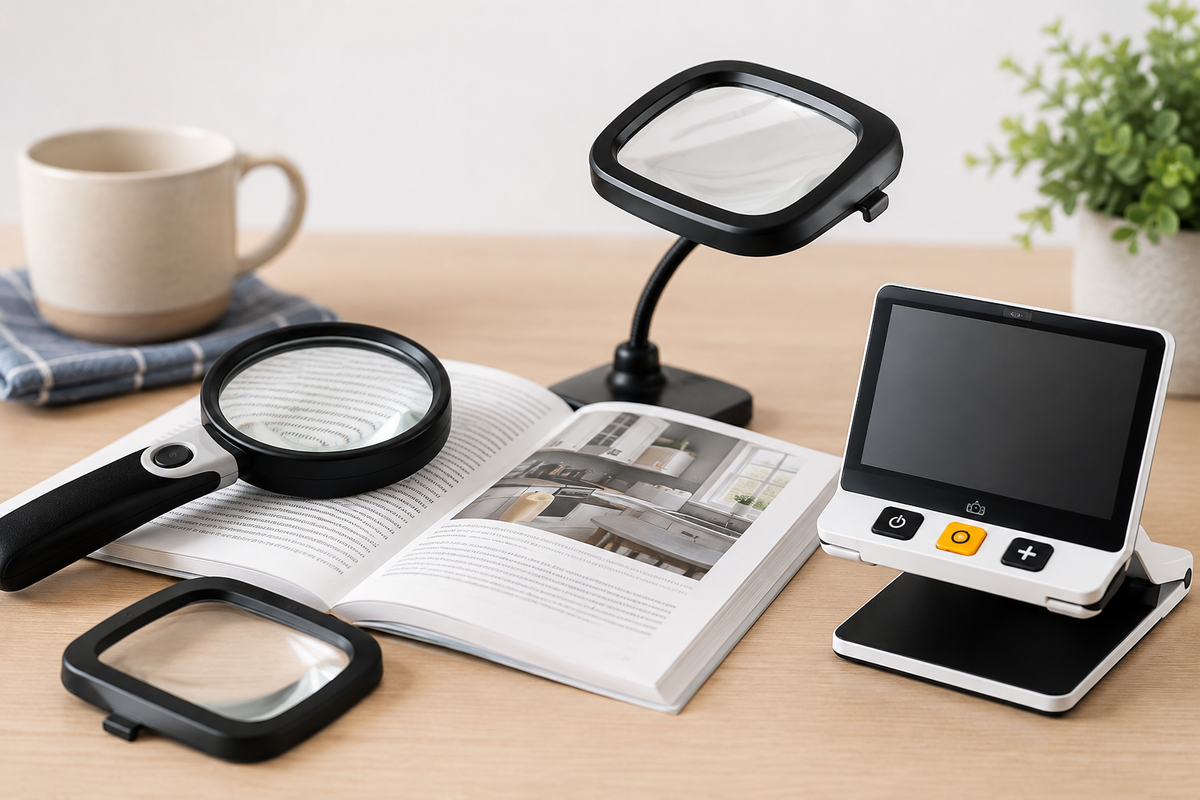
- Practical Example: For spot-reading medication bottles, mail, or price tags, a handheld illuminated magnifier may be useful when it provides enough enlargement and a comfortable field of view.
2. Sustained Reading Tasks
Sustained reading involves following lines of text for longer periods rather than checking only a word, label, or number. Examples include reading books, magazines, newspapers, or personal correspondence.
- Optimal Tool Choice: Stand magnifiers, dome magnifiers, or electronic desktop magnifiers.
- Key Feature: A stand magnifier supports the lens at a designed distance from the page, reducing the need to hold the lens steadily and helping maintain a consistent viewing position.
- Practical Example: A stand magnifier can be useful when a stable lens-to-page distance is preferable. For broader reading techniques, see our guide on Reading Strategies with Low Vision.
"Start Here" Decision Pathway: Finding Your Ideal Magnifier
Use this practical four-step decision workflow to determine the appropriate starting point for your tasks:
| Step | Assessment Question | Recommended Action & Tool Category |
|---|---|---|
| Step 1 | Is the task a quick spot check (under 1 minute) or continuous reading? | Spot Task: Choose a Handheld Illuminated Magnifier. Sustained Reading: Choose a Stand Magnifier or Electronic Reader. |
| Step 2 | What is the smallest print you need to read under good lighting? | Standard Newspaper/Mail: Start by testing the lowest magnification that makes the target print comfortable to read under good lighting. Fine Print/Medicine Bottles: Smaller print may require stronger magnification, but the appropriate level should be determined by task performance rather than a fixed diopter cutoff. |
| Step 3 | Do you experience hand tremors or muscle fatigue when holding objects? | Yes: Consider a stand, bar, or other supported magnifier that reduces the need to hold the lens steadily. A low-vision professional can help compare options for comfort and task fit. |
| Step 4 | Does stronger optical magnification feel too restrictive because of a narrow field of view, close working distance, posture, or reading speed? | Yes: Consider trying a handheld or desktop digital video magnifier for variable zoom and enhanced visual contrast. |
Evaluating Higher Magnification Needs: When Electronic Magnification May Help
Optical magnifiers do not have a single rigid point at which they stop being useful. As required magnification increases, trade-offs such as a smaller field of view, closer working distance, and greater lighting demands can become more noticeable. Whether those trade-offs are acceptable depends on the person, the task, and the device.
For many users, particularly when performing sustained reading or writing, electronic video magnifiers (CCTVs) offer a practical alternative or complement to high-power optical lenses. Video magnifiers use a digital camera and display screen to provide:
- Variable magnification without changing physical lenses.
- Wide viewing screens that display full words or lines of text at higher magnification.
- High-contrast display modes and alternate color combinations that some users may find easier to view.
- Flexible working distances that allow comfortable posture while reading or writing.
Whether optical or electronic tools are best depends on your visual condition, task goals, and personal preferences. To explore digital options, read our guide on Video Magnifiers & Digital CCTV Explainer.
Summary Checklist for Selecting a Magnifier
- Always start with the lowest magnification that allows comfortable reading for your task to maximize your field of view.
- Evaluate lighting as part of the magnification setup: Additional task lighting can make a magnifier easier to use for many people, especially at higher magnification.
- Do not rely on the manufacturer "×" label alone. Consider the stated diopter value, field of view, working distance, lighting, and intended task.
- Match the form factor to the task: Handheld for quick spot checks; stand/dome for continuous reading.
- Consult a Low Vision Professional: An optometrist, ophthalmologist, or occupational therapist specializing in low vision can perform a personalized functional vision assessment to help you find the most comfortable optical or electronic setup for your specific goals.
Ready to compare actual devices? See our complete buying guide, Choosing a Magnifier for Low Vision, for device types, testing tips, and where to buy.
Sources
- National Eye Institute — Low Vision
- National Eye Institute — Vision Rehabilitation
- American Foundation for the Blind — Lighting Up Your World: A Closer Look at Illuminated Magnifiers
- American Foundation for the Blind — CCTVs / Video Magnifiers
Medical & Educational Disclaimer
This guide is for general educational purposes and does not provide diagnosis, treatment recommendations, or individualized low-vision prescriptions. Magnification needs vary by visual function, task, working distance, lighting, ergonomics, and personal preference. An eye-care or vision-rehabilitation professional can help evaluate options for individual needs.